

To get the most out of your data, it needs to be stored in an efficient environment. For years, we’ve struggled with fragmented data - a reality where your performance metrics are siloed in one tab, your accompanying documentation buried in a team folder, and the critical why behind your numbers can get lost in a sea of tools unless you have the right person stringing them together. This structural gap can be a factor in lost time.
This is where Amazon Quick Spaces can help.
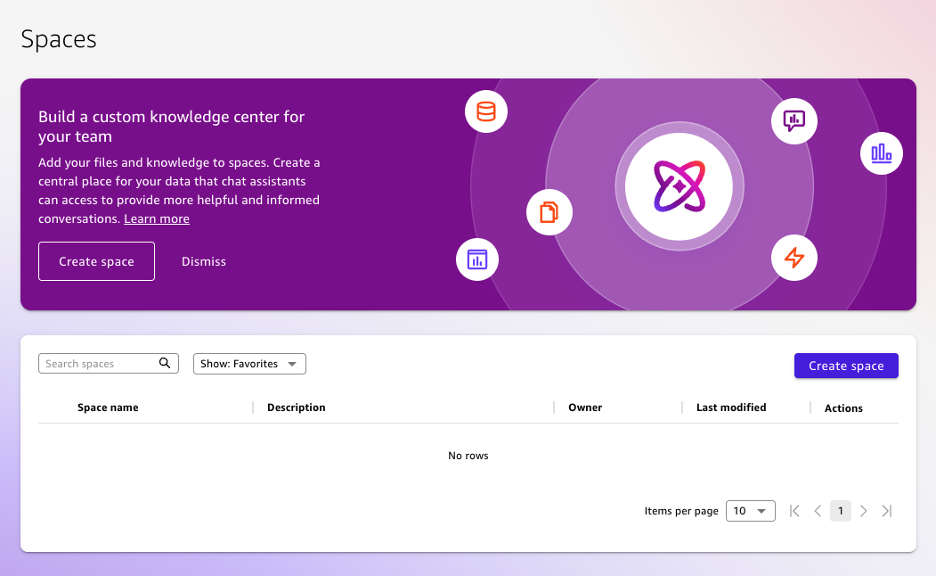
Spaces aren't just a folder; they are unified hub for your team’s resources. By acting as the connective tissue between your datasets and your business logic, Spaces allow you to anchor dashboards, data tables, and internal documentation into a single, connected workspace. Most importantly, they serve as the vital context layer for your Amazon Quick Chat Agents. Without a Space, an agent is just a generalist; with one, it becomes a domain expert equipped with the knowledge it needs to bring value to your team.
The core advantage of a Space is its ability to tie together structured data and the unstructured tribal knowledge of your organization/team. By creating a Space, you aren't just organizing files. You are building your own specific ecosystem.
A Space allows you to upload PDFs, text files, and documentation directly alongside your actual data streams. This ensures that when an Agent analyzes your sales performance, it isn’t just looking at the numbers in your spreadsheet. It is referencing the specific goals found in your strategy memos or project initiatives.
Think of a Space as a mission control room. Being able to add a variety of different assets into the Space ensures that every stakeholder is operating from the same source of truth. It eliminates the friction of searching across directories. If it is relevant to the mission, it stays in the Space.
This is the real victory for any BI analyst. When you link a custom Chat Agent to a Space, you are establishing internal validity. The agent won't hallucinate based on the internet or public data; it prioritizes the curated knowledge within that Space. This results in outputs that are not only faster but significantly more reliable because they are grounded in your specific business rules.
Fortunately for us, Spaces are designed to scale alongside your ambitions. While there are various ways to organize your assets, the primary driver for deploying a Space is establishing the foundation for Chat Agents.
By isolating information this way, you ensure your Amazon Quick Agent is equipped with the specific context that elevates it past a generic chat agent.
You can populate a Space with a diverse array of assets:
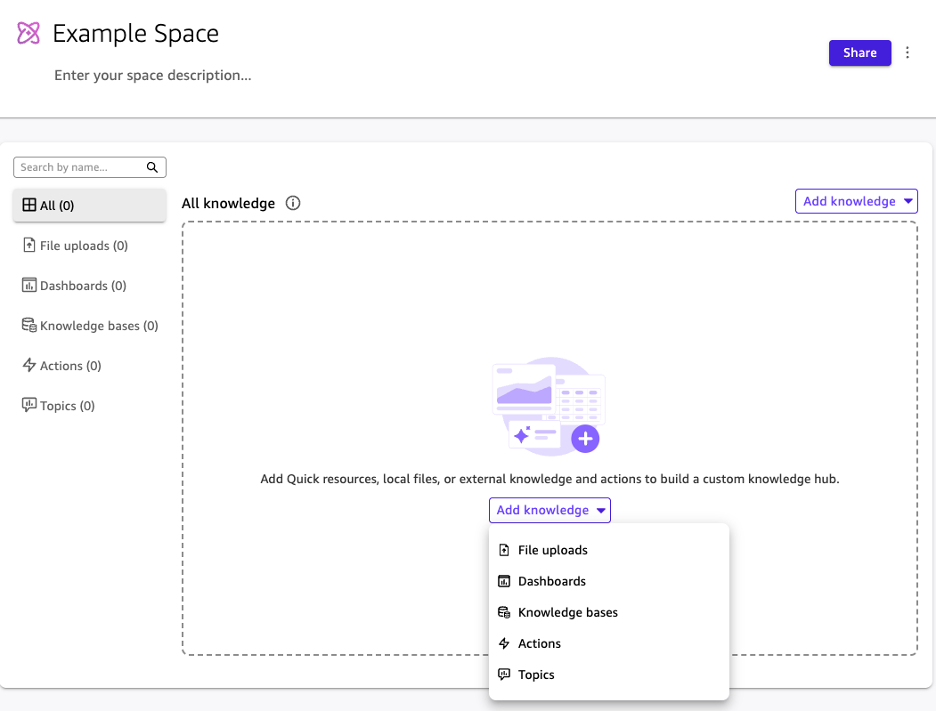
By grouping these disparate sources into one environment, you can help eliminate the lost time spent hunting for context across different applications.
The strategic advantage of Amazon Quick Spaces lies in the ease and reliability of the insights derived from it. By grounding your analytics in a unified environment, you prevent the questionable outcomes because of lacking internal validity.
If you’re ready to close this gap between your raw data and actionable intelligence, we can help. Let’s work together to move your business forward with precision and speed.

Not sure on your next step? We'd love to hear about your business challenges. No pitch. No strings attached.


