

Most AI demos don't prove much. They run on clean sample data and a question someone already knows the answer to. That's not what Power BI work looks like. Real projects start with files from systems that disagree with each other, business rules that live in someone's head, and numbers that look right until someone checks them. So that's what we gave it.
The core of the dataset is real: every Berlin Marathon finisher from 1974 to 2019, almost 900,000 rows from a public Kaggle dataset. Around it, we generated the business data a race organizer would have: registrations from two different portals, finisher targets by age class, entry fees, charity pledges, hourly race-day weather, and a history of each runner's club and country. Eleven raw CSV files in total. None of it cleaned or modeled.
Claude got a short brief written for a leadership audience, a README with the business rules, and a "done" checklist. It did not get a list of what was wrong with the data, and it never saw the answer key.
The setup was Claude Code running Claude Opus 5.5 on its low-effort setting, connected to Power BI Desktop through the Power BI modeling MCP server. MCP is the connector that lets an AI agent read and change a semantic model directly, just as a developer would in Desktop or Tabular Editor.
We planted 24 problems. The dangerous ones don't cause errors. They produce a chart that looks fine and a number that's off by 10%. A few examples:
The other 19 stay private so we can keep using this challenge.
A separate AI agent, with no part in the build and read-only access to the model, graded the work against a hidden answer key. It wrote DAX queries to reproduce every figure in the key, then checked each planted problem and every item on the checklist.
The results:
None of the results matched the "trap" values, the numbers you get when you fall for a planted problem. On the charity data, for example, the common mistake inflates the total by about 60%. The model landed within 10 cents of the correct figure.
Why use a second agent instead of eyeballing it? Because a report can look perfect and still be wrong. The only way to know is to check the numbers against something the builder never saw.
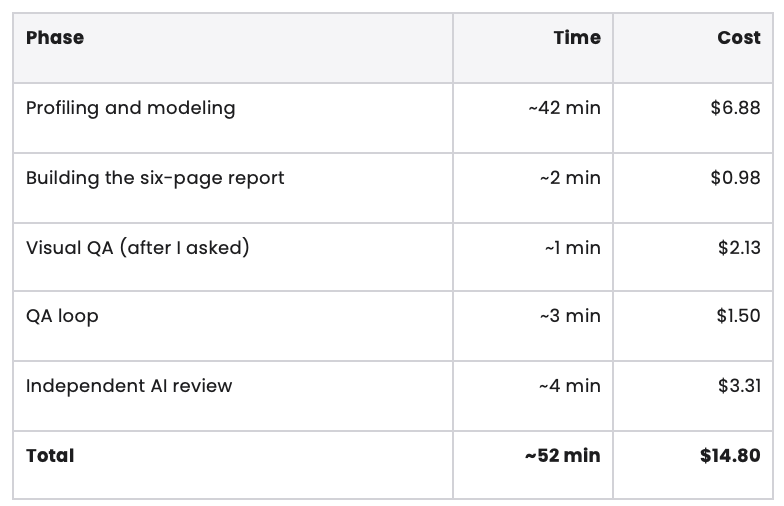
The modeling time includes gaps while I was doing other work, so it isn't 42 minutes of focused effort. Still, the split tells the story: most of the time and money went into understanding and modeling the data. The report itself took two minutes.
These results came from the lower-effort setting, not the most expensive configuration available. That's the part I keep coming back to. A cost-effective model handled data modeling that usually takes an experienced developer a good part of a day.
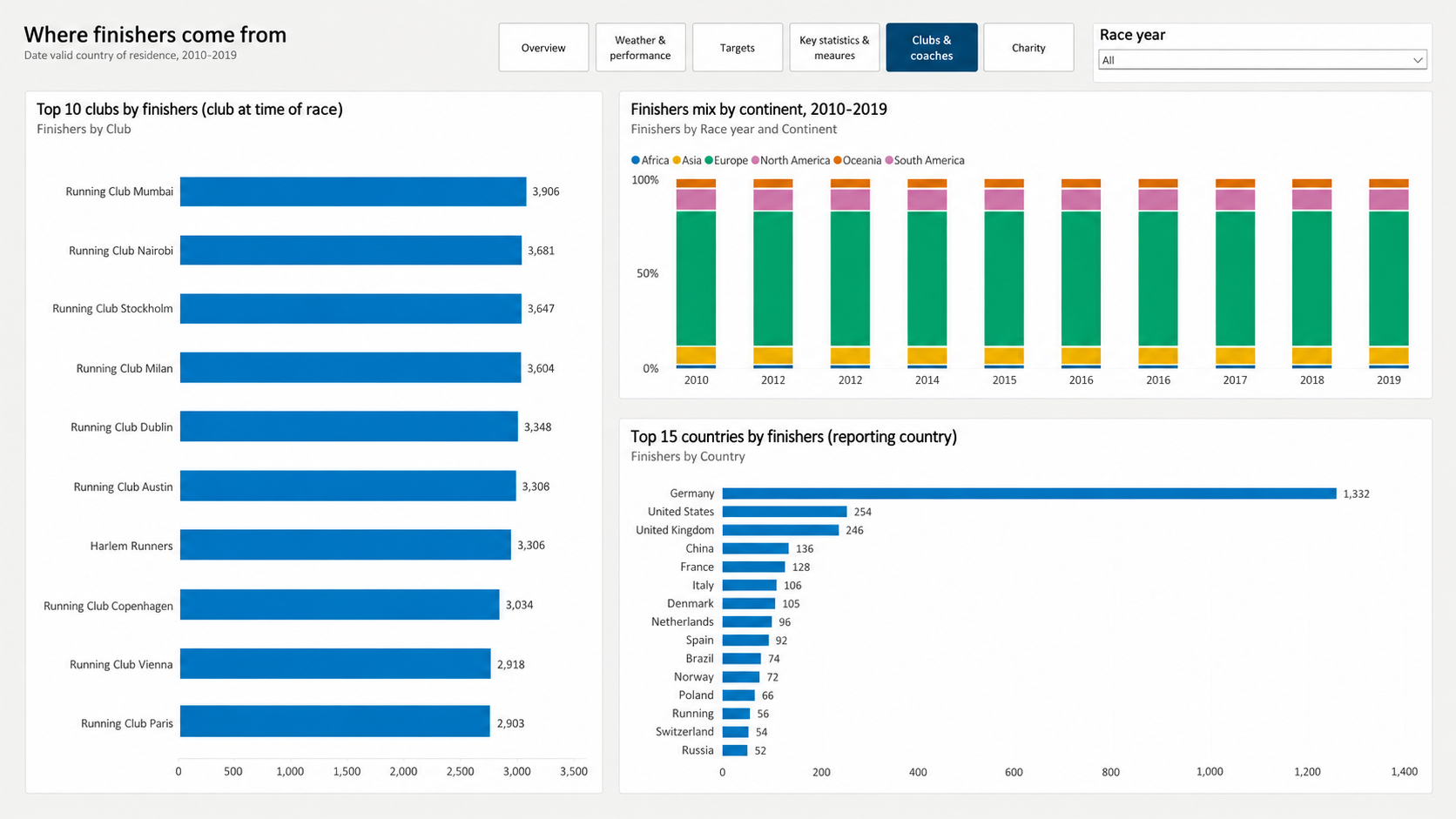
Slowly changing club history. The runner history file is a Type 2 slowly changing dimension: some runners have two versions, and "current" rows are marked inconsistently, either with a blank end date or with 9999-12-31. Claude built a staging query that, for each runner and race year, picks the version with the latest effective-from date on or before race day. That gives each fact row a surrogate key pointing at the right version. Because it never relied on the end date, the inconsistent markers didn't matter. Club-at-race counts matched the answer key exactly.
The charity many-to-many. Instead of joining pledges to charities directly (which counts the full pledge for every charity), it built a pledge-by-charity table with the amount already split. Each split is divided by that pledge's total split percentage, so a 33/33/33 pledge still adds up to 100%. Pledges are converted to euros by joining to the exchange-rate file on race year and currency.
Two portals, one table. Duplicates from overlapping exports are removed on the registration ID. Dates are parsed by checking the separator, and comma decimals are converted before typing the fee column. Revenue only counts registrations with a payment date, which excludes cancelled entries that still list a fee.
Role-playing dates. Registrations and payments share one date table. Registration date is the active relationship, payment date is inactive, and the Payments measure switches to it with USERELATIONSHIP. That's why "registrations and payments by month" shows payments in the month they were paid.
Model hygiene. Five fact tables, five dimensions, every relationship single-direction, and no DAX calculated columns on the 885,000-row results table. It also wrote a findings log with 25 entries. One of them was something nobody asked about: average days from registration to payment jumps from about 3 to about 15 in 2013, which looks like a payment policy change rather than a data issue.
It wasn't flawless, and the misses are worth knowing about.
The process needed a person, too. Claude got stuck three times during modeling and needed input to keep going. It also never looked at its own report. Once I sent it screenshots and asked it to check, it found and fixed several issues on its own. It just didn't think to look.
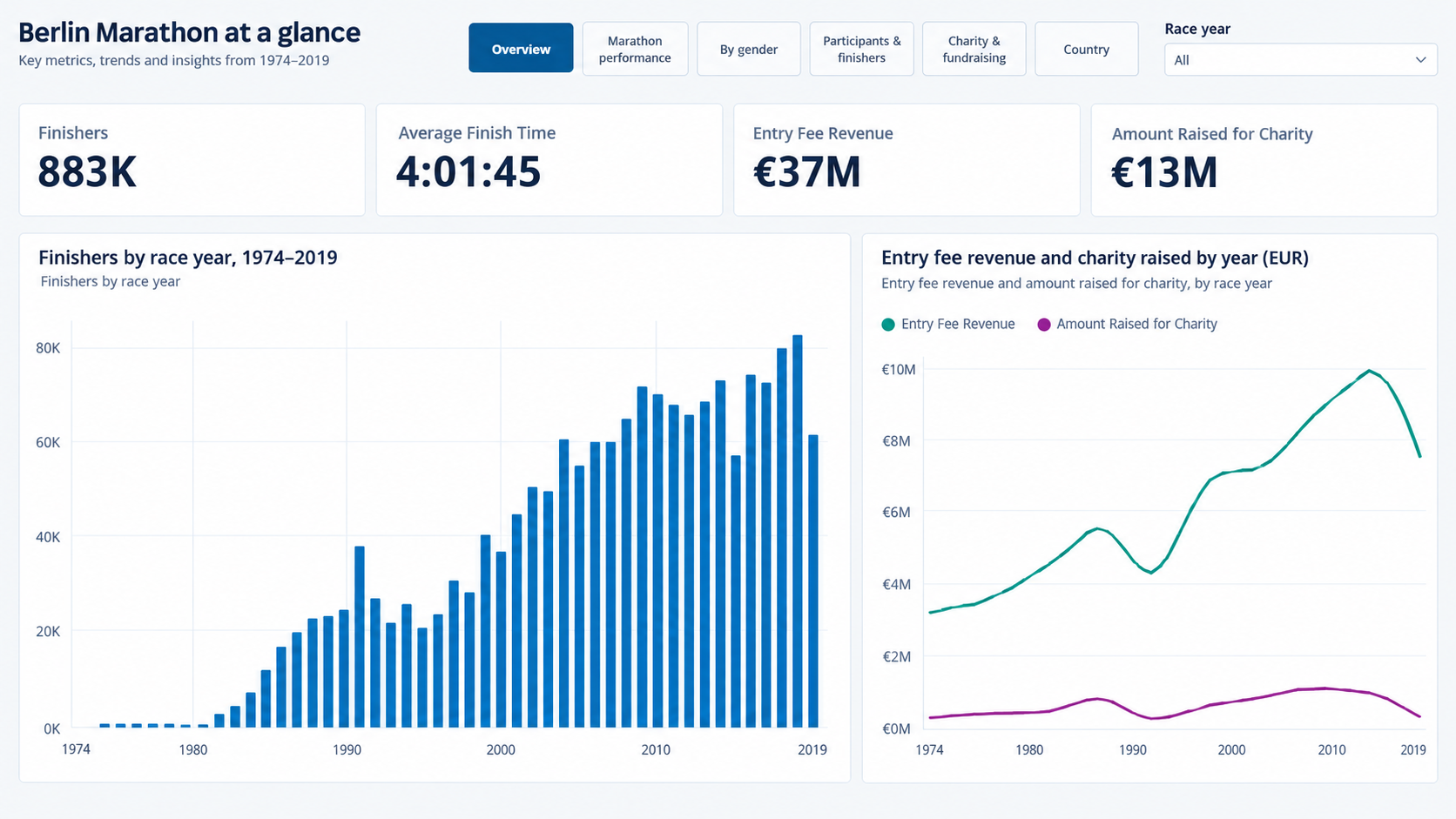
Then there's the design. The report is clean and functional. It has a consistent theme, page navigation, and alt text on every visual. Is it the most beautiful report I've seen? No. But design quality is probably the most promptable part of this whole process. We gave it a brief about audience and questions, not a design system. Example reports, a style guide, layout rules, or a prompt that tells it to review its own screenshots could change the result significantly. That's the next thing we want to experiment with.
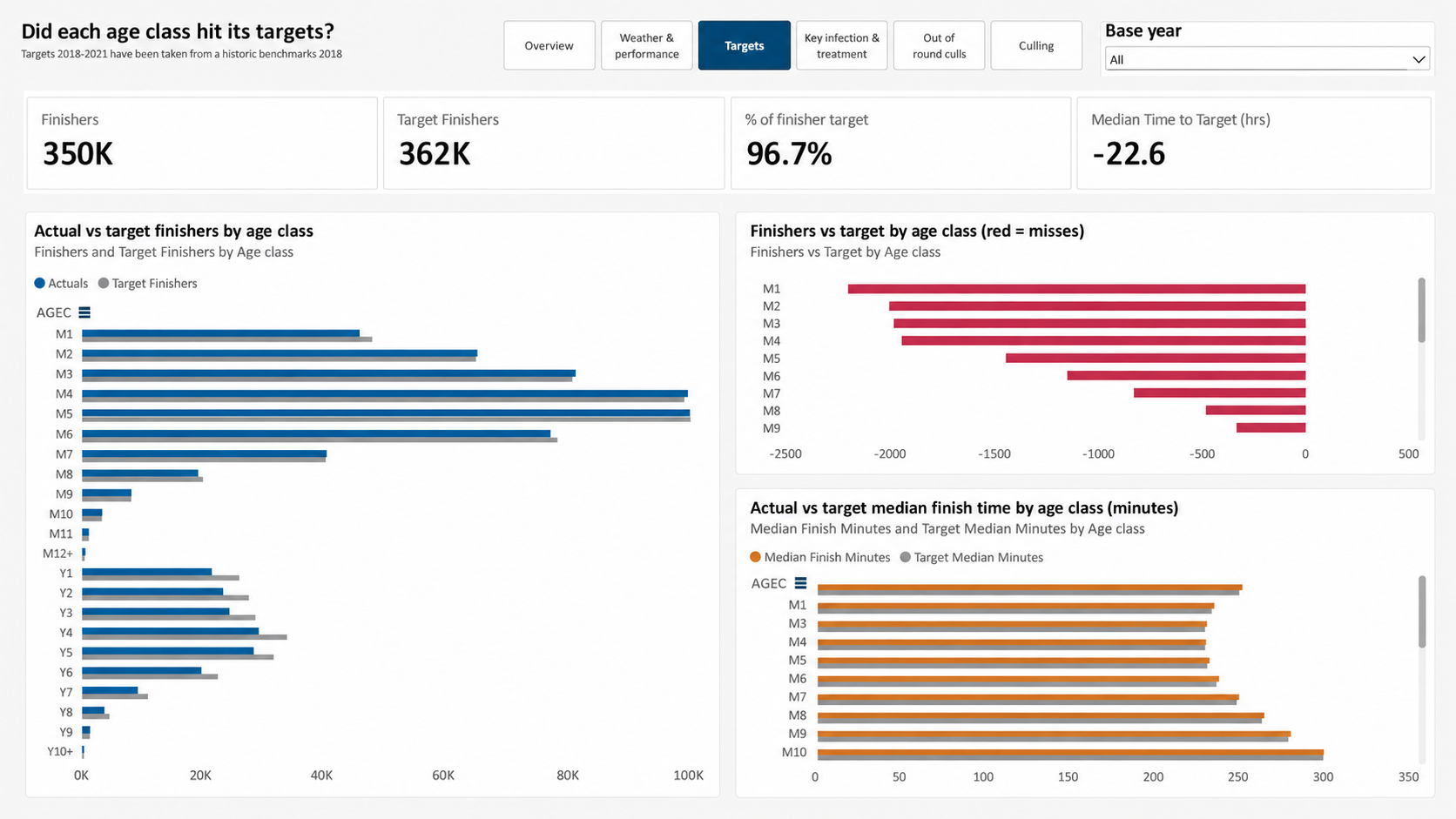
The usual assumption is that AI can help with the easy, visual parts of BI while people handle the hard modeling work. This experiment points the other way. The modeling, the part that takes the most experience to get right, was where it was strongest. The visuals were where it needed the most guidance.
That doesn't remove the need for a skilled developer. Someone still has to write a good brief, unblock the agent, ask "did you look at it?", and decide whether a measure means what the business thinks it means. But the developer's job shifts from doing every step to directing and reviewing the work.
Most teams haven't had the chance to try this on real work yet, and that's where I see the opportunity. If you're going to try it, make an independent check part of the process. Ours cost $3.31 and took four minutes, which is cheap enough to run on every build.

Not sure on your next step? We'd love to hear about your business challenges. No pitch. No strings attached.


